Turn a sentence into a researched playlist.
Describe what you want to hear. Playlist Forge uses OpenAI's Responses API with web search to assemble a coherent, intentionally ordered tracklist of real recordings — then you review and revise it track by track before handing it to your streaming service.
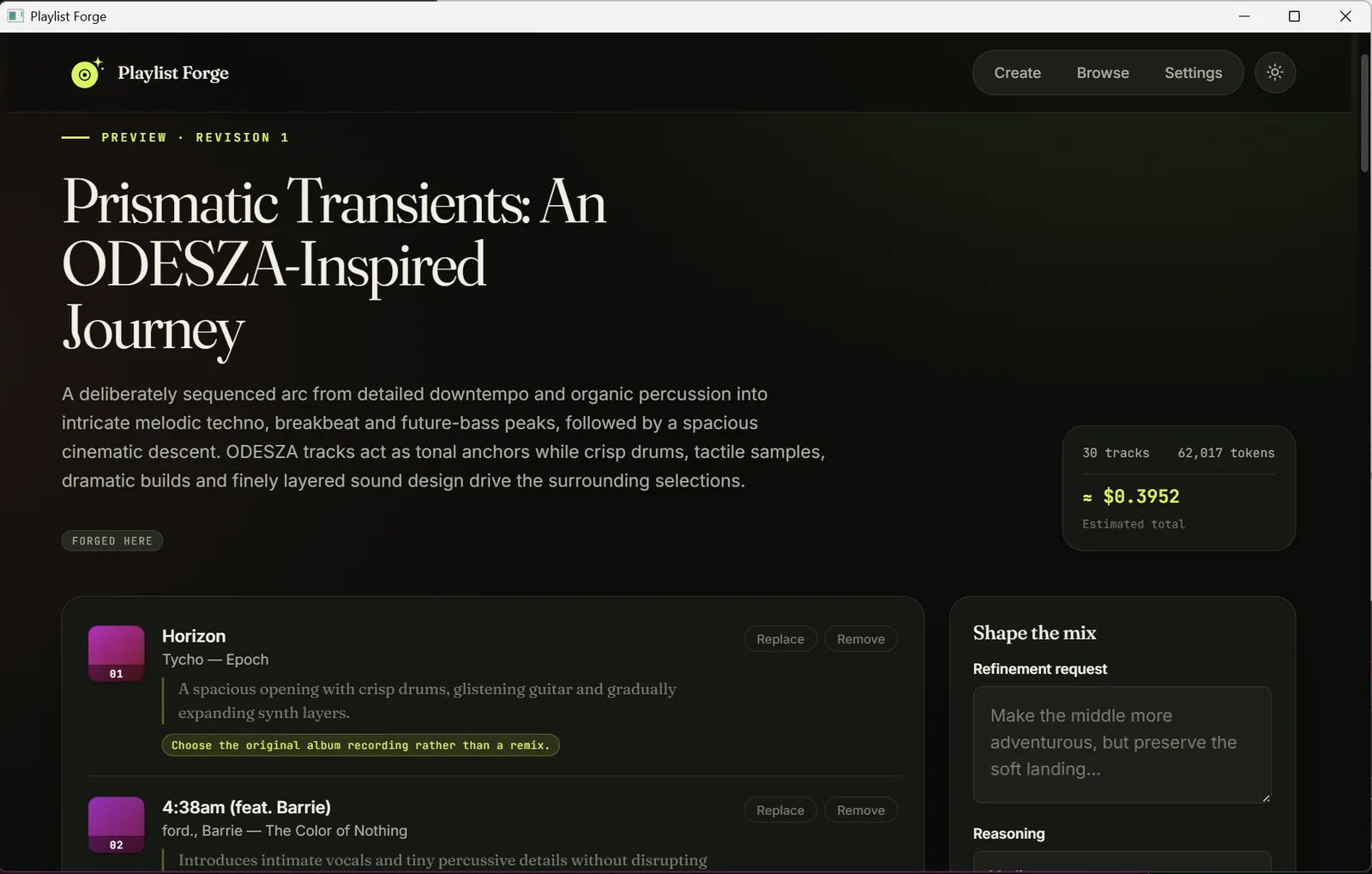
A finished playlist: the arc, a per-track rationale and recording note, and the run's cost — every track reviewable before you hand it off.
From a prompt to your library in four moves.
Every operation is deliberate, and every change is kept — nothing is silently overwritten.
Describe
Write a brief, pick 20–100 tracks and a reasoning effort, and optionally point to earlier playlists for inspiration.
Generate
It researches and orders the tracklist, then shows the title, description, per-track rationale, and a cost estimate.
Revise
Remove a track, request a single replacement, or refine the whole playlist. Each operation writes an immutable local revision.
Hand off
Generate a temporary Soundiiz import link and complete the transfer to TIDAL, Qobuz, Spotify, or Apple Music.
Built to be trusted with your listening.
A single Go binary running on the native webview — no server, no bundled runtime, no database service.
Prompt to playlist
A natural-language brief becomes a titled, ordered playlist of 20–100 tracks, each with a rationale and recording/version notes.
Every edit is a revision
Remove, replace, or refine — nothing is overwritten. History stays browsable so you can always see how a playlist evolved.
Grounded, not guessed
The model is instructed to verify tracks and requested versions with web search, and to avoid invented recordings.
Transparent cost
Each request shows an estimated USD cost from reported token and web-search usage against a versioned rate card.
Private by default
Your OpenAI key lives in the OS credential store — never in the playlist database, never returned to the frontend.
Local-first
No account, no telemetry, no network listener. Data lives in your OS-standard application directory in a local SQLite file.
Mirror the playlists you already have.
Connect TIDAL or Qobuz to browse your existing playlists, reuse them as inspiration, or hand them to Soundiiz. Read-only — Playlist Forge never writes back to your streaming account — and it uses no OpenAI credit.
Connect once
TIDAL approves in your real browser; Qobuz signs in inside a small window. Session tokens sit in your OS credential store, never in the database.
Browse & reuse
Imports are read-only snapshots grouped by origin, with a badge for every place a playlist lives. Preview any of them, or pick them to seed a new brief.
Reload on demand
Refresh the mirror as a cancellable background job. Connections are re-checked automatically, with a clear prompt to reconnect if one expires.
Download a build and launch it.
It opens its own window and does not listen on a network port. Every platform is built for both x86-64 and ARM64.
Windows
- NSIS installer,
-setup.exe— Winget-ready - Portable
.exe— download and run, no install - x64 and ARM64
macOS
playlist-forge.app, universal- Intel and Apple Silicon in one bundle
- Unsigned — how to open it past Gatekeeper
Linux
.deb,.rpm,.AppImageper architecture- Needs GTK 4 and WebKitGTK 6.0 (Ubuntu 24.04+, Fedora 38+)
- The
.deb/.rpmdeclare the dependency
macOS and Windows release builds are unsigned. On macOS, Gatekeeper blocks the first launch — opening the unsigned macOS build covers the one-time bypass.
Your credentials never leave your machine.
Playlist Forge sends only what a handoff needs — titles and artist names — and nothing else.
- The OpenAI base URL is fixed to api.openai.com; no environment variable can redirect it.
- The Soundiiz endpoint is fixed, redirects are not followed, and a returned handoff URL must match the exact HTTPS host and path or it is rejected.
- Soundiiz receives only the accepted playlist title, description, track titles, and artist names — never streaming credentials.
- User text is rendered without raw HTML; every external URL is validated before it is opened.
- Console logs redact key-shaped values. Prompts and tracklists are logged only at debug level.
- The API key is never written to playlists.db and never returned to the frontend.